TD_

Cherfolio

Dashboard Style Portfolio for Designers

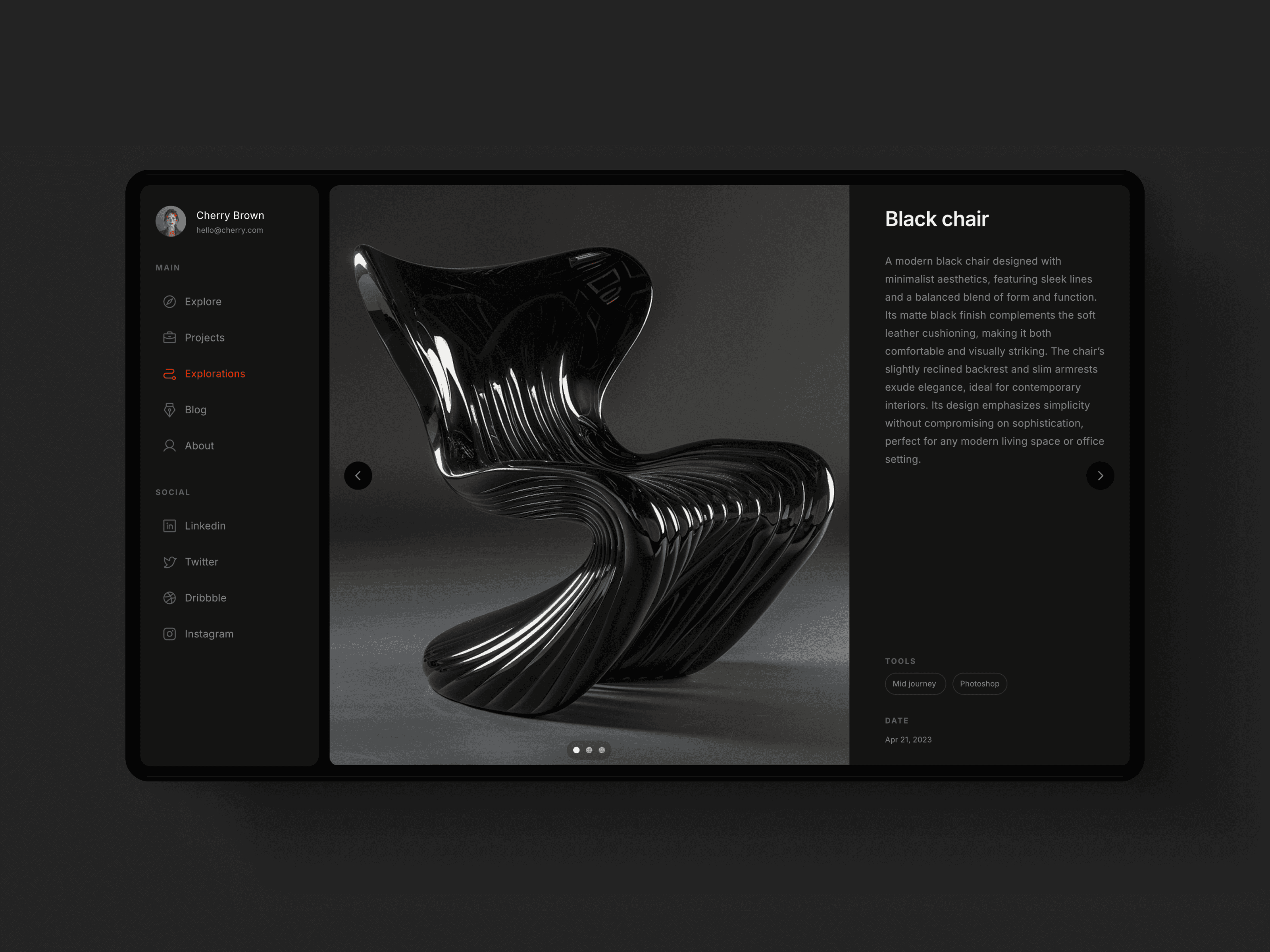
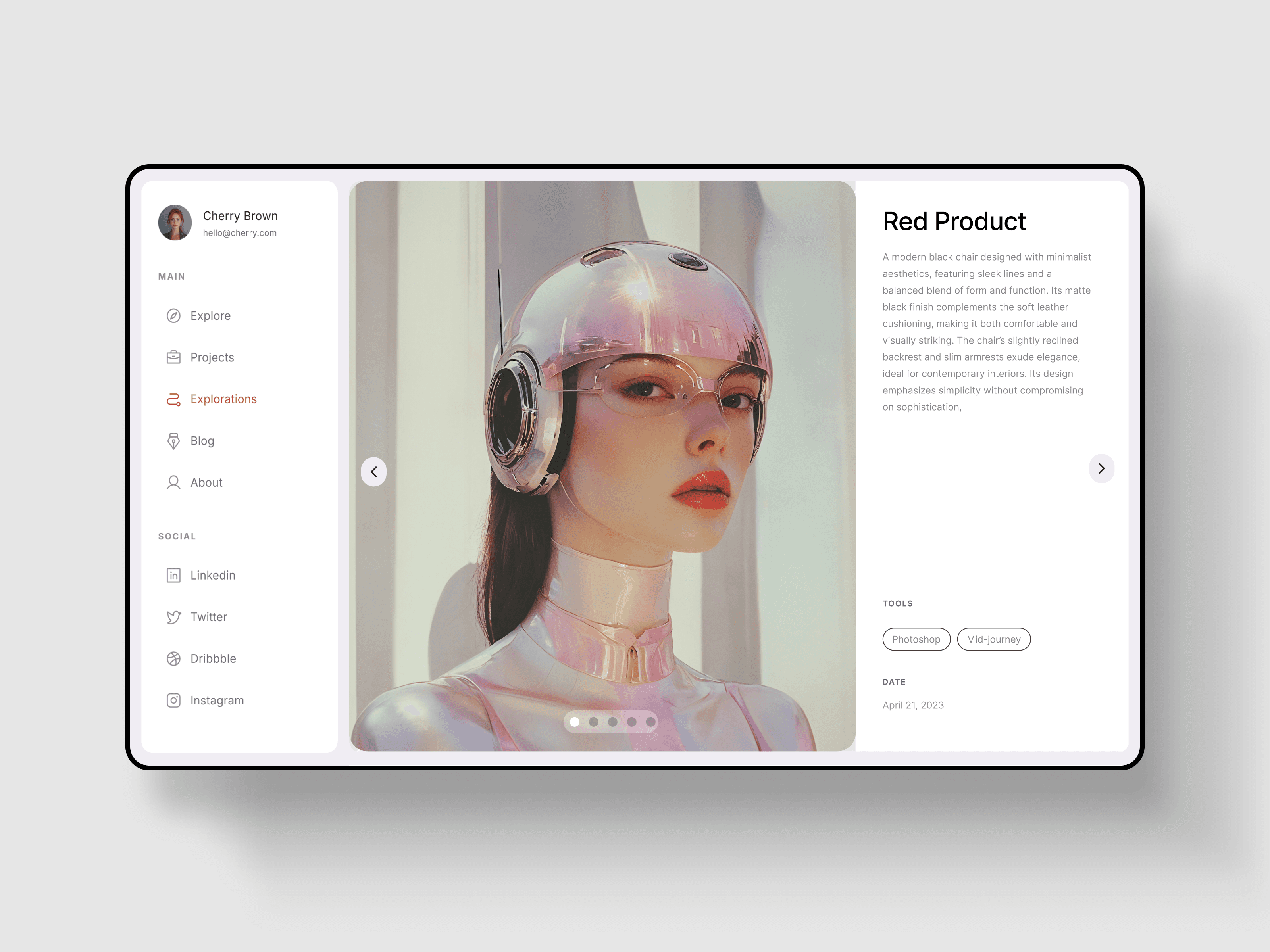
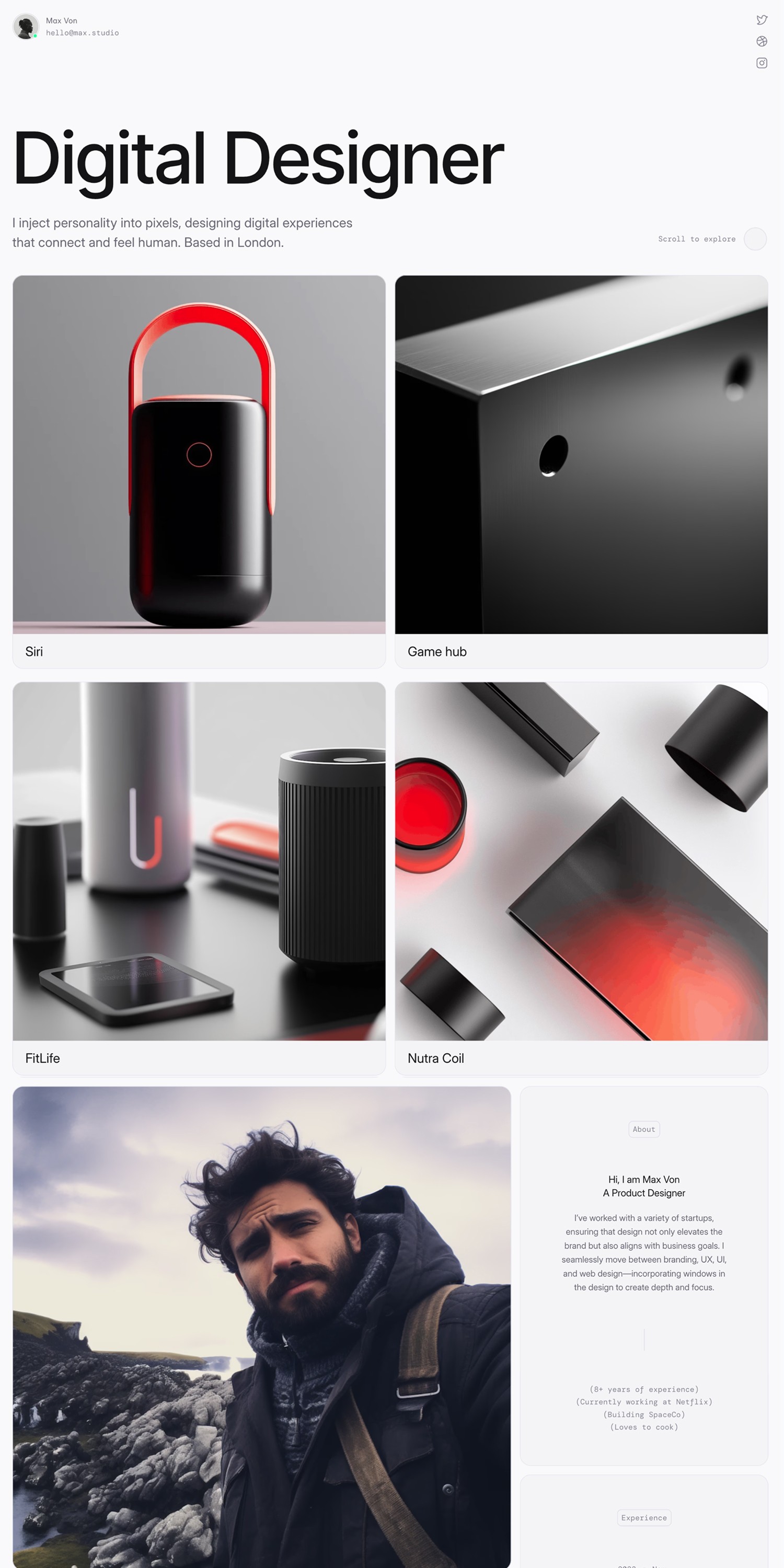
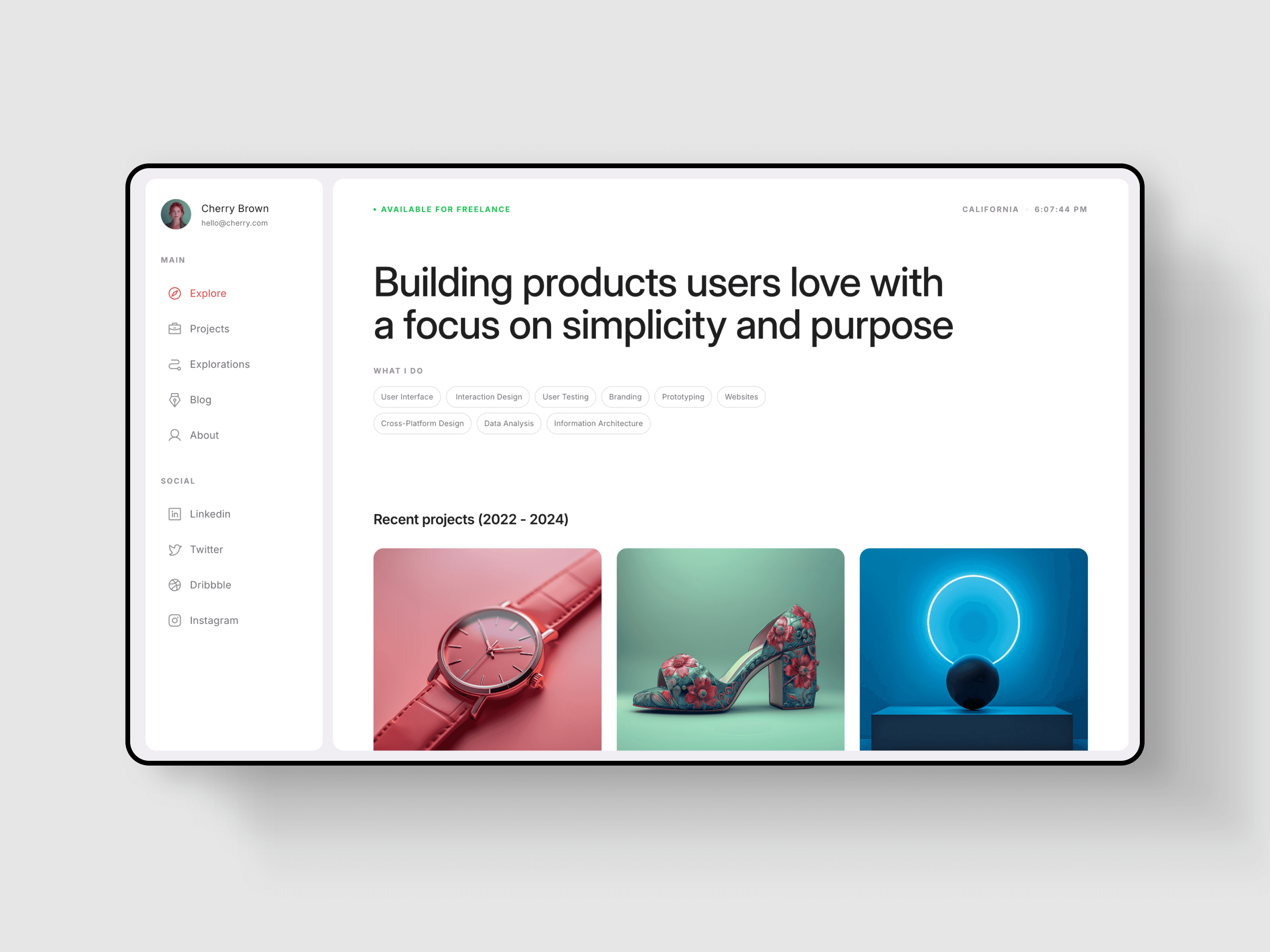
A dashboard-style portfolio template for designers and other creatives, featuring multiple project pages and a blog section. Perfect for anyone with a large body of work to showcase.

Cherfolio Framer template

A Structured Portfolio for Detailed Work

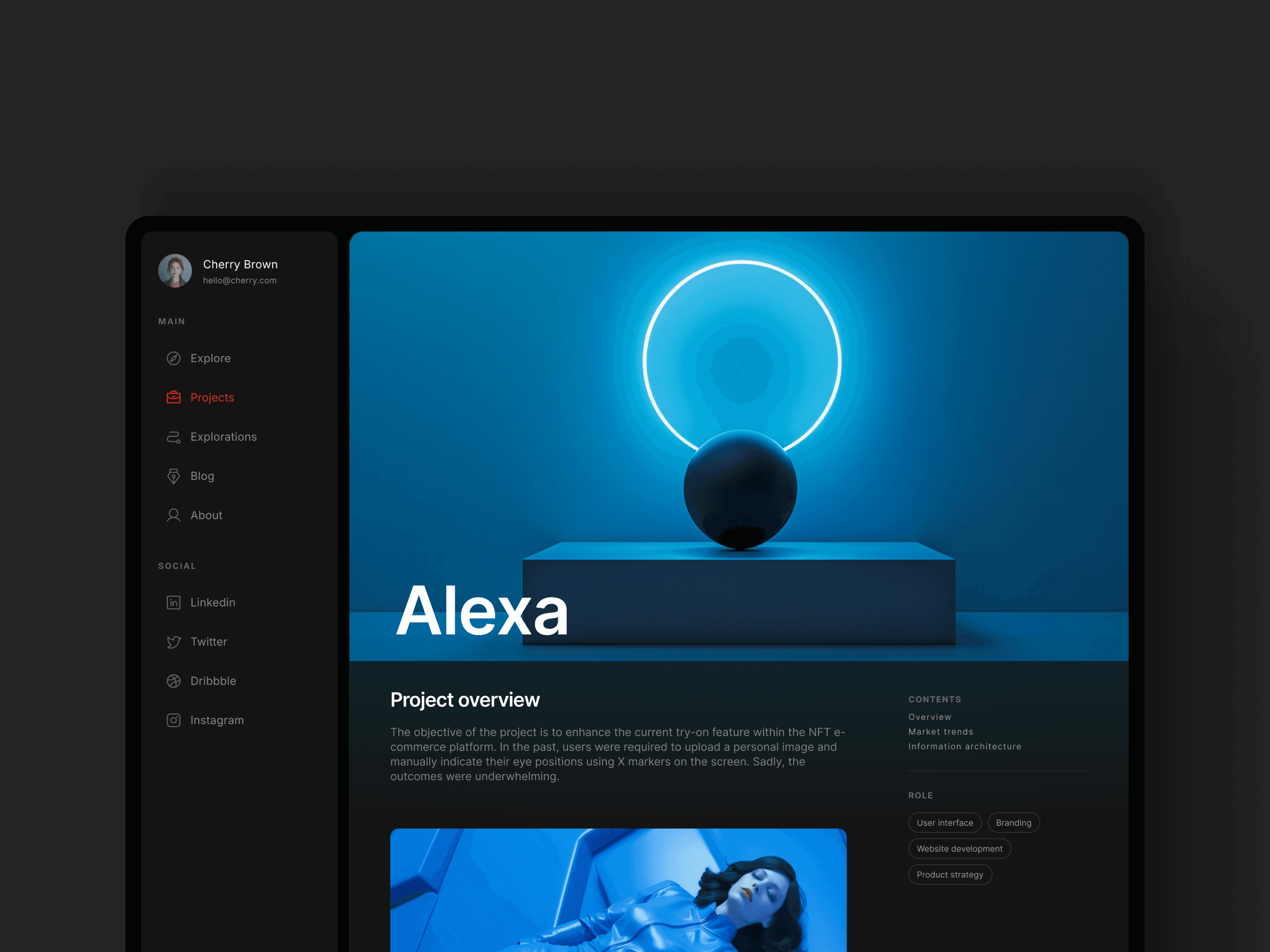
Cherfolio is designed for content-rich portfolios that go beyond a simple showcase. The dashboard-style layout with side navigation makes it easy to navigate complex work, supporting detailed case studies and long-form content without feeling overwhelming.

Detailed project pages and a built-in blog create space to present both projects and thinking in a structured, cohesive way, making the template suitable for long-term portfolio growth.

Good fit for

  • Product designers

  • UX and UI designers

  • Designers working in SaaS and tech

  • Product managers and creative technologists

  • Designers with large, detailed portfolios

  • Early-career and senior professionals


Special Features

Light and dark mode

20+ ready to use sections

Styles

Content-heavy

Case-study focused

Pitch-friendly

Light

Dark

Minimal

Elegant

Pages

Home

About

Project Lobby

Project Single [CMS]

Explorations [CMS]

Blog Lobby

Blog Single [CMS]

404
Cherfolio Framer template

FAQ

Before you Buy

Do I need a Framer account to use the templates?

¹

Yes. Framer is free, and you can create an account to remix and customize the templates. 

What does “commercial use” mean exactly?

²

Commercial use means you can use the template for personal and client projects, including paid work. You may not resell, redistribute, or share the template itself as a product.

Do I get all future templates with the all-access pass?

³

Yes. Once you purchase the All-Access Pass, you’ll receive an email with a link to all current templates. New templates are added to the same link as they’re released, and you’ll be notified by email when updates are available.

How do I access my templates after purchase?

After purchase, you’ll receive an email with a remix link to the template. Inside the remix file, you’ll find a quick start guide to help you get set up. If you need further help, support is just an email away.

Support and Help

What kind of support is included?

Email support is included with all templates. Support covers setup questions, template-related issues, and basic customization guidance. Just reach out via email.

What’s your refund policy?

Due to the digital nature of the templates, purchases are non-refundable. For exceptions, feel free to reach out.

Performance & Quality

What affects performance the most once I start editing?

Framer automatically handles image resizing and optimization, so you’re covered there. Performance is mostly affected by heavy videos, or adding too many animations and effects. Keeping things lean will ensure the best results.

Are they SEO-ready (metadata, OG, headings, sitemap basics)?

Yes. The templates are built with clean structure and proper markup, and they follow Framer’s SEO best practices. You can further optimize SEO by updating content, metadata, and images to match your project.

Before you Buy

Do I need a Framer account to use the templates?

¹

What does “commercial use” mean exactly?

²

Do I get all future templates with the all-access pass?

³

How do I access my templates after purchase?

Support and Help

What kind of support is included?

What’s your refund policy?

Performance & Quality

What affects performance the most?

Are they SEO-ready?

Before you Buy

Do I need a Framer account to use the templates?

¹

Yes. Framer is free, and you can create an account to remix and customize the templates. 

What does “commercial use” mean exactly?

²

Commercial use means you can use the template for personal and client projects, including paid work. You may not resell, redistribute, or share the template itself as a product.

Do I get all future templates with the all-access pass?

³

Yes. Once you purchase the All-Access Pass, you’ll receive an email with a link to all current templates. New templates are added to the same link as they’re released, and you’ll be notified by email when updates are available.

How do I access my templates after purchase?

After purchase, you’ll receive an email with a remix link to the template. Inside the remix file, you’ll find a quick start guide to help you get set up. If you need further help, support is just an email away.

Support and Help

What kind of support is included?

Email support is included with all templates. Support covers setup questions, template-related issues, and basic customization guidance. Just reach out via email.

What’s your refund policy?

Due to the digital nature of the templates, purchases are non-refundable. For exceptions, feel free to reach out.

Performance & Quality

What affects performance the most once I start editing?

Framer automatically handles image resizing and optimization, so you’re covered there. Performance is mostly affected by heavy videos, or adding too many animations and effects. Keeping things lean will ensure the best results.

Are they SEO-ready (metadata, OG, headings, sitemap basics)?

Yes. The templates are built with clean structure and proper markup, and they follow Framer’s SEO best practices. You can further optimize SEO by updating content, metadata, and images to match your project.

More

Portfolio

Templates

Menu

Menu

Made in Framer