Best Free Framer Portfolio Templates (2026)
Five free Volt templates that take you from $0 to a portfolio that looks paid for.

Quick answer: No single free template wins — the right one matches the register your work needs. Tomas for Swiss, editorial calm. Joeyfolio for multi-discipline work you need to sort into categories. Maxfolio for minimal work that wants both light and dark. Senri for a dark, tech-forward presence. Zarafolio for motion at the center. All five are free, all built in Framer.
A Framer portfolio template is a pre-built, fully editable Framer site for showing creative work — you remix it, drop your projects into the CMS, and publish. No code.
A free template is supposed to be the thing you settle for. The placeholder until the budget arrives. For most software, fair enough. For a portfolio, it's backwards.
A portfolio is the one site where the wrapper was never the hard part. The work carries it. The template is the frame; your projects are the painting — and a good frame disappears. A free one disappears just as well as a paid one.
So the thing standing between you and a live portfolio usually isn't a price tag. It's treating the site as the project instead of the projects as the project. Free removes that excuse. It hands you the frame and points you back at the work.
The five below are free, built in Framer, and CMS-driven — adding a project means filling in a field, not redesigning a page. They differ in one thing: the register your work wants to be seen in.
TD_Tomas — Swiss-Style Portfolio Template (Free)
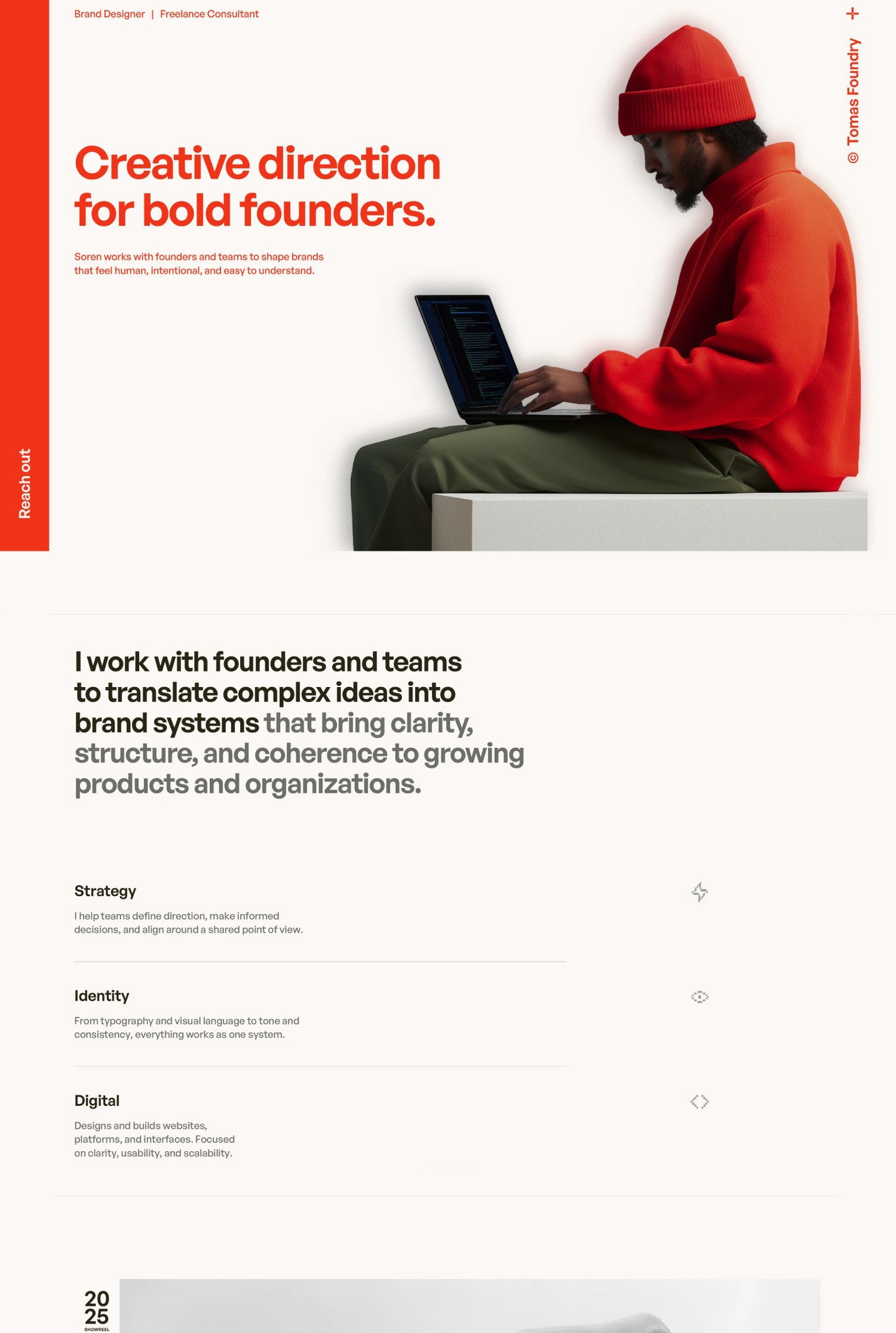
Tomas is built on Swiss design principles: a strict grid, generous space, and type doing the heavy lifting. It reads as considered rather than loud — the kind of layout that still looks deliberate three years from now.
Under the calm surface it's a full setup. A project lobby, a dedicated case-study layout, a contact page, global text and color styles, and custom-coded components. There's even an AI tutorial for swapping the hero portrait, so the one fiddly part is handled for you.
Best for: designers, photographers, and studios who want timeless and editorial over trend-driven.
TD_Joeyfolio — Multi-Discipline Portfolio Template (Free)
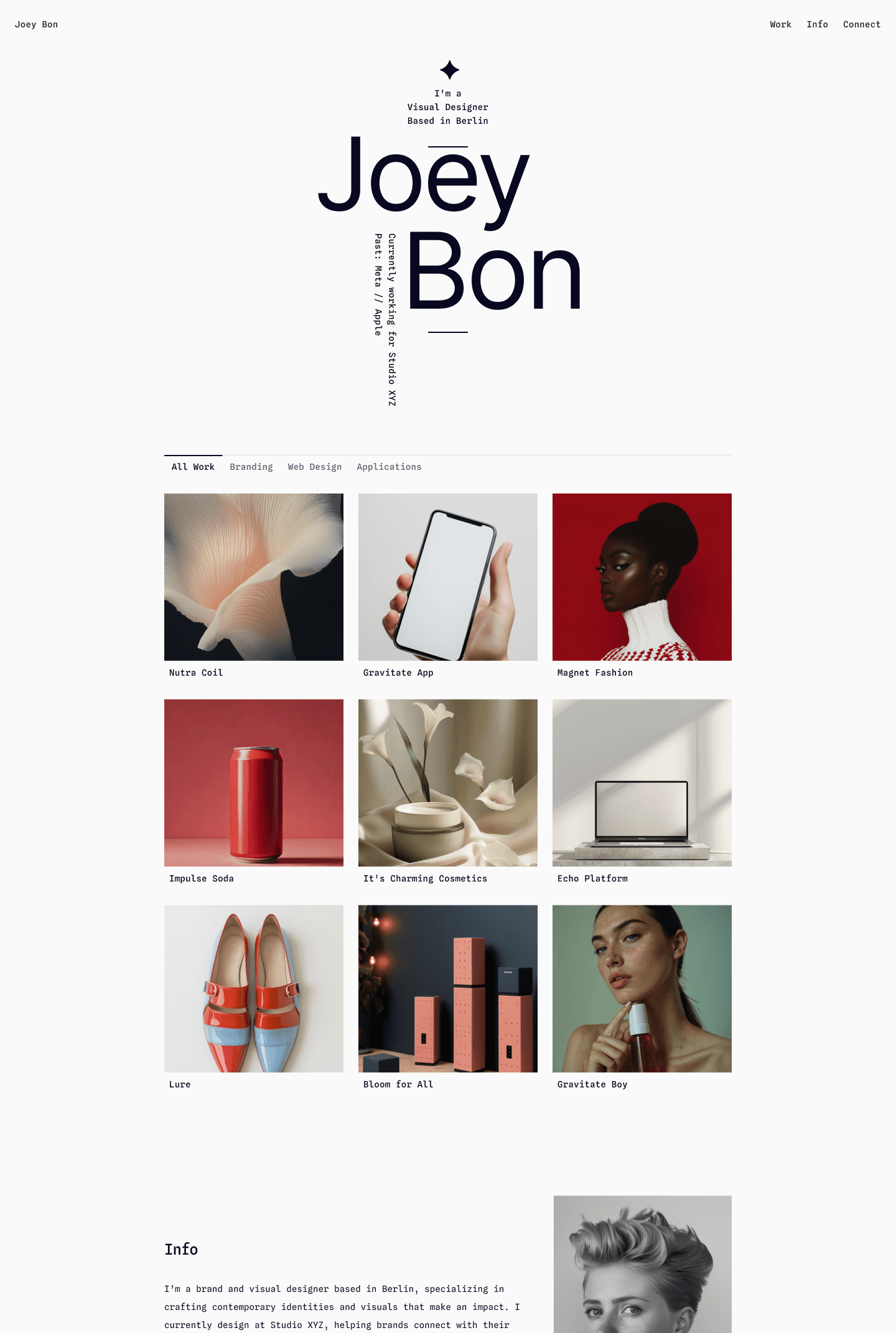
Joeyfolio is the one to reach for when you do more than one thing. It sorts work into category tabs, so a portfolio spanning, say, branding and motion and product doesn't flatten into one undifferentiated feed — each discipline gets its own space.
It's content-heavy by design, with a clear step up from homepage to project pages so the work unfolds as someone digs in. Like every Volt template it includes a résumé component, so it doubles as a tidy home for portfolio and CV in one.
Best for: multi-disciplinary designers, and anyone whose work spans more than one category.
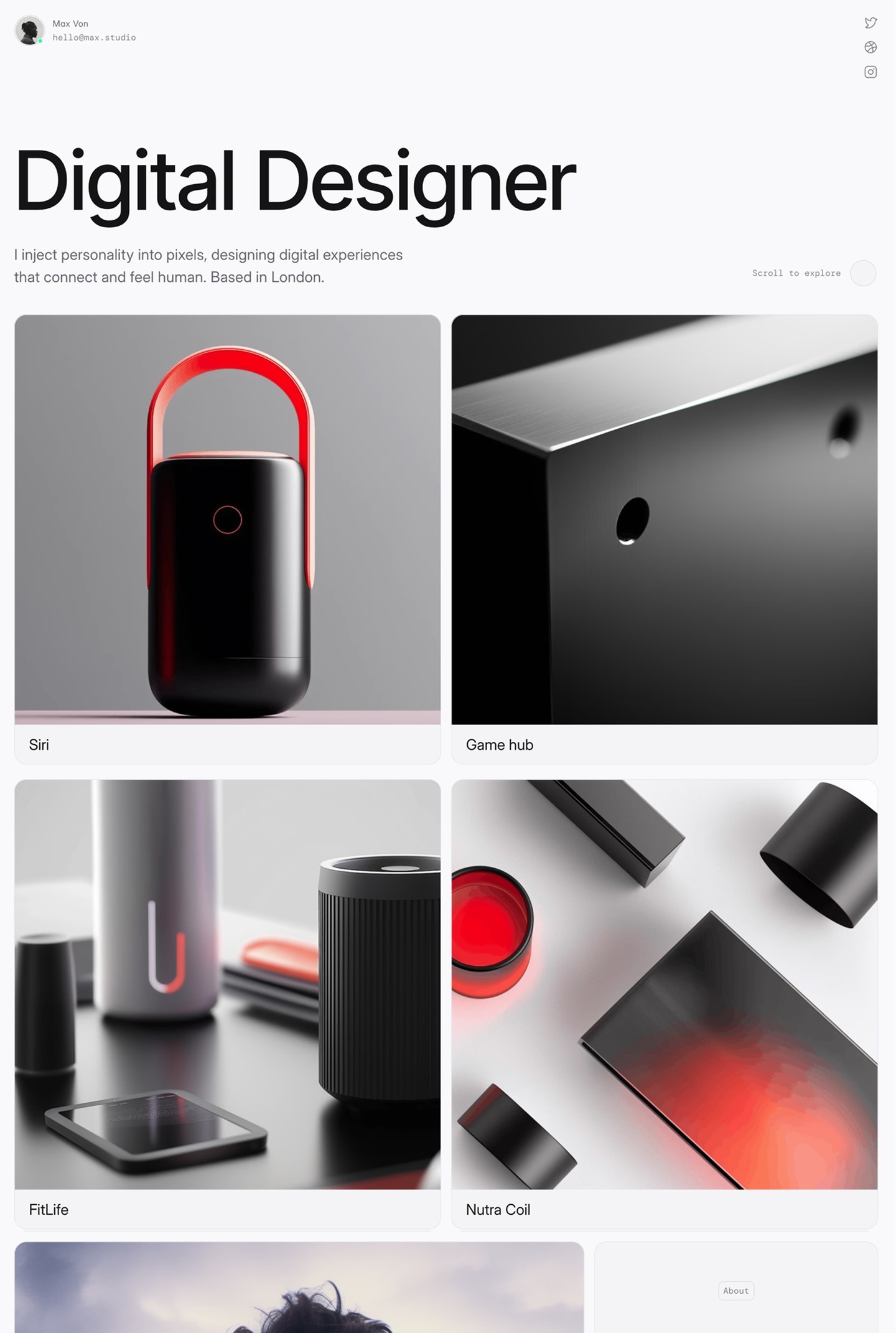
TD_Maxfolio — Minimal Portfolio Template (Free)
Maxfolio keeps the layout minimal and the contrast high, then ships in both light and dark mode out of the box. The result is distinctive without overcomplicating anything — the work stays the loudest thing on the page.
It's aimed at product, branding, and motion designers, with subtle gradient accents and a case-study focus that flatters polished visual work.
Best for: product and branding designers who want one clean layout that holds up in both light and dark.
TD_Senri — Dark Portfolio Template (Free)
Senri commits to dark. A black-and-white visual language, a tech-forward feel, and an editorial structure holding the experimentation together. It's confident without shouting.
The grid is unusual enough to feel custom, with unique animations and a flexible component system that adapts as your body of work grows.
Best for: designers and developers who want a bold, dark, modern presence.

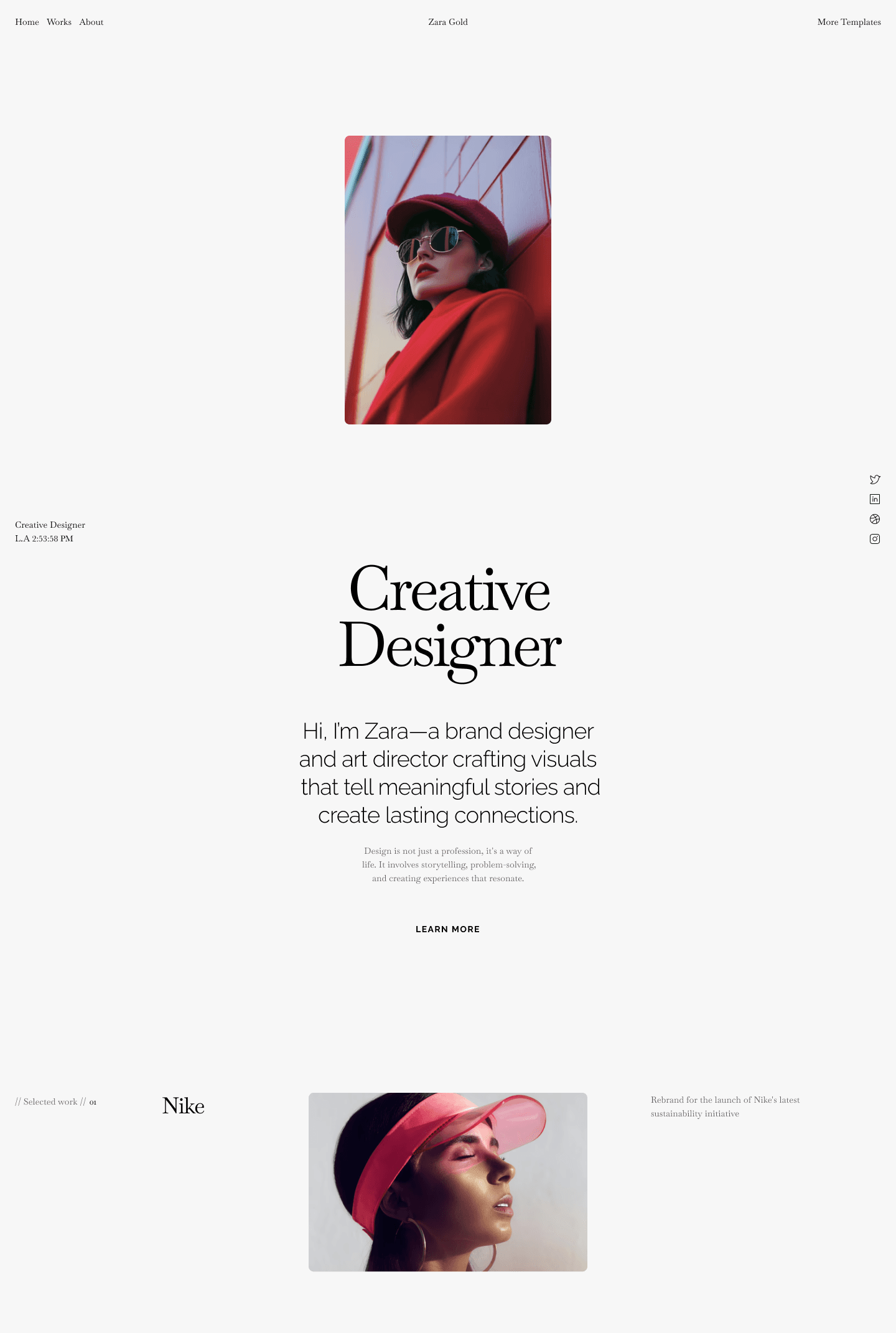
TD_Zarafolio — Animated Portfolio Template (Free)
Zarafolio puts motion at the center. Expressive animations and a modern layout make the work feel dynamic and memorable — but the movement is there to add rhythm, not to upstage the projects.
It ships with an About page alongside the project lobby and CMS project pages, giving motion, brand, and digital designers room to show personality as well as work.
Best for: motion and brand designers who want the portfolio itself to feel alive.
At a Glance
Template | Style | Modes | Key pages | Standout |
|---|---|---|---|---|
Tomas | Swiss, editorial | Light | Home, project lobby, case study, contact | Strict grid + AI portrait swap |
Joeyfolio | Content-heavy editorial | Light + dark | Home, category tabs, case study | Category tabs for multi-discipline work |
Maxfolio | Minimal, high-contrast | Light + dark | Home, case study | Both modes built in |
Senri | Dark, tech-forward | Dark | Home, project lobby, case study | Black-and-white editorial |
Zarafolio | Animated | Light + dark | Home, about, project lobby, case study | Motion-led layout |
How to Choose
Don't start from the templates. Start from the work. Open your three strongest projects and ask what they need from the room around them — quiet and gridded, or dark and bold, or moving. The free template that matches that answer is the right one. The price was never the variable.
And when the work outgrows free — when you want the larger, paid layouts built for a deeper body of work — the paid portfolio templates pick up where these leave off. Start free. Upgrade when the portfolio earns it.
FAQ
Are these Framer templates really free?
Yes. Tomas, Senri, Maxfolio, Zarafolio, and Joeyfolio are all free to remix and publish in Framer. You'll need a free Framer account.
Can I use a free template for client work?
Yes. Commercial use covers personal and paid client projects. You just can't resell or redistribute the template itself.
Do I need to know how to code?
No. Everything is editable visually in Framer, and projects run through the CMS — adding a case study means filling in fields.
Will a free portfolio template hurt my SEO?
No. The templates ship with clean structure and follow Framer's SEO best practices. You optimize further by adding your own content, metadata, and images.
Can I move to a paid template later?
Yes. Starting free costs nothing, and upgrading later is straightforward — your work, not the wrapper, is what carries over.
Tom from Volt